To pair JBL Bluetooth earbuds, open the charging case near your phone, then tap the JBL name in the phone’s Bluetooth settings. New earbuds go into pairing mode by themselves the first time. To pair with a second device, you have to start pairing mode by hand. On several JBL models, including the Vibe Beam and Live Buds 3, tap once, then hold for 5 seconds. Other models use different gestures.
JBL’s earbuds do not all pair the same way, so use the row for your model and check its quick start guide if it is not listed.
This guide is part of DeviceGod’s Bluetooth earbuds pairing guide.
First-time pairing versus adding a second device
- First time: the earbuds have no saved device, so they start searching as soon as you open the case or take them out.
- Second device: the earbuds reconnect to the phone they already know and will not appear on a new device until you put them in pairing mode yourself.
How to pair JBL earbuds for the first time
- Charge the earbuds in the case. A low battery can stop pairing.
- Open the case, or take the earbuds out. Look for the pairing indicator described in your model’s guide. Light patterns vary.
- Open Bluetooth settings on your device. On iPhone go to Settings, Bluetooth. On Android go to Settings, Connected devices.
- Tap the JBL name in the list, for example “JBL Vibe Beam”.
- Wait for “Connected”. Keep the earbuds within about three feet of the device.
On many Android phones a Fast Pair pop-up appears when the case opens. Tap Connect and you can skip the Bluetooth menu.
JBL earbuds pairing mode, by model
Most current JBL earbuds have no physical Bluetooth button. The “button” is the touch surface on the outside of each earbud.
| Model | How to start pairing mode for a new device |
|---|---|
| Vibe Beam, Wave Beam | Tap once, then hold for 5 seconds, on either earbud |
| Vibe Beam 2 | Tap once, then hold for 5 seconds. Supports two devices at once |
| Live Buds 3, Live Beam 3 | Tap once, then hold for 5 seconds. Supports two devices at once |
| Quantum TWS | Tap, then hold the touch area on either earbud for 5 seconds |
| Endurance Jump, Sprint and Peak | Double tap and hold the JBL logo for 5 seconds, until the light flashes blue |
| Free and Free X | Press and hold the right earpiece for 5 seconds, until it alternates blue and white |
For the Free and Free X, there’s a second method if the first fails: power off each earpiece by holding its button for 5 seconds, then hold both buttons for 8 seconds.
If your model is not in the table, look for “Connect to a new Bluetooth device” in its quick start guide, which is on the product’s page at jbl.com under Documents and Downloads. Do not assume a gesture from another model will work.
Pair JBL earbuds to iPhone, Android, Windows or Mac
Put the earbuds in pairing mode first, then:
- iPhone or iPad: Settings > Bluetooth, then tap the JBL name under Other Devices.
- Android: Settings > Connected devices > Pair new device, then tap the JBL name. Samsung phones use Settings > Connections > Bluetooth.
- Windows 11: Settings > Bluetooth & devices > Add device > Bluetooth, then choose the JBL name.
- Mac: System Settings > Bluetooth, then click Connect next to the JBL name.
If a computer shows the earbuds as connected but sound still comes from its speakers, select the JBL earbuds as the output device in the sound settings.
Using JBL earbuds with two devices
Pairing with several devices and being connected to two at once are different things.
- Many JBL earbuds can remember multiple paired devices, but models without multi-point generally connect to only one at a time. Disconnect from the first device to use the second.
- Models with multi-point connection, such as the Vibe Beam 2, Live Buds 3 and Live Beam 3, can stay connected to two devices at the same time. Their guides give a maximum of two.
Not every JBL model has multi-point. Check the specifications for yours.
If your JBL earbuds are not showing up or not pairing
Work through these before you reset anything:
- Turn off Bluetooth on the device they last used. A previously paired phone may reconnect automatically and interfere with connecting to a new device.
- Start pairing mode again, using the gesture for your model, and keep the earbuds close.
- Turn Bluetooth off and on on the device you are pairing. This helps when the name doesn’t appear.
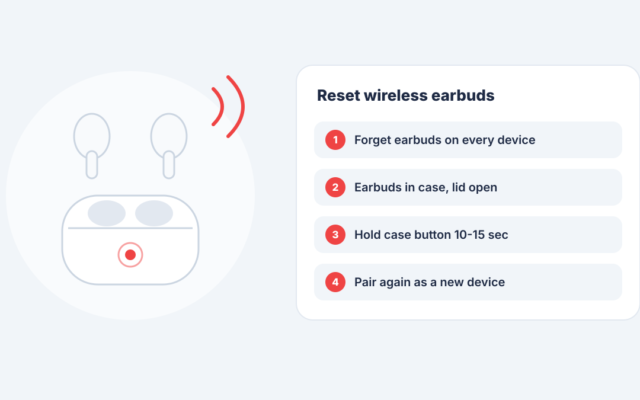
- Remove the old pairing record. In the Bluetooth list, choose Forget or Remove for the JBL entry, then pair again.
- Check the app’s permissions on Android. If you pair through the JBL Headphones app, it needs the Nearby devices permission.
- Charge both earbuds fully in the case, then try again.
Forget the device or factory reset?
| Action | When to use it |
|---|---|
| Reconnect | The earbuds already know the device. Open the case and they reconnect by themselves |
| Pairing mode | You want to add a new device |
| Forget device, then pair again | The earbuds are listed but will not connect, or connect and drop |
| Factory reset | Pairing keeps failing after all of the above, or one earbud will not sync with the other |
The reset gesture is model-specific. On the Vibe Beam and Wave Beam, the quick start guide shows it as tap twice, then hold for 5 seconds. A factory reset may clear saved Bluetooth connections. Remove the old JBL pairing record from your phone before pairing again.
How to pair the left and right JBL earbuds together
You should not normally need to. The two earbuds link to each other when you take them out of the case. Using one earbud alone, which JBL calls Dual Connect, is a normal feature and does not mean they have lost sync.
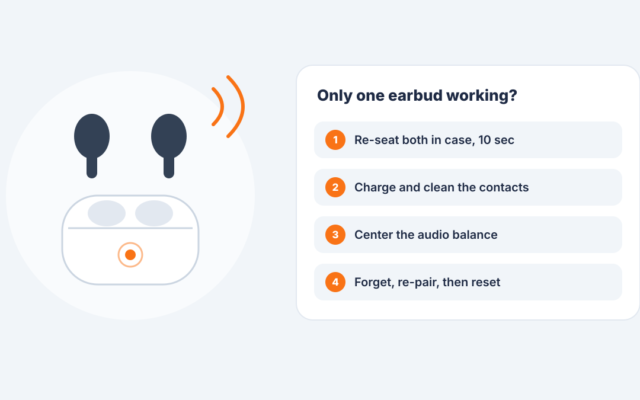
If only one side plays when both are in your ears, put both back in the case, close it, wait a few seconds and take them out together. If that fails, follow your model’s synchronization or reset instructions. The JBL Free has a separate re-pairing step for linking the left and right earpieces again.
Pairing a different brand? See our guide to pairing OnePlus Buds.
Related guides
Frequently asked questions
Where is the Bluetooth pairing button on JBL earbuds?
Most true wireless JBL earbuds do not have one. Pairing uses the touch surface or button on the earbud itself.
How do I put JBL Live Buds 3 in pairing mode?
JBL’s quick start guide shows tap once, then hold for 5 seconds. The Live Buds 3 can stay connected to two devices at once.
Why are my JBL earbuds not showing up on Bluetooth?
Usually because they have already reconnected to another device nearby, or they are not in pairing mode. Turn off Bluetooth on the other device and start pairing mode again.
Do I need the JBL Headphones app to pair?
No. Pairing works from your device’s Bluetooth settings. The app adds extra controls on supported models.
Conclusion
On many JBL true wireless models, first-time pairing starts when you open the case or remove the earbuds. Select the JBL name in your device’s Bluetooth settings. For a second device, start pairing mode with your model’s gesture, which on several current JBL earbuds is one tap followed by a 5-second hold. If the earbuds do not appear, turn off Bluetooth on the device they last used before you try anything else, and keep a factory reset as the last step.