Skullcandy makes a lot of different true wireless earbuds, from Dime and Jib to Indy, Sesh and Push, and the buttons, lights and hold times vary between them. The basic pattern is the same, though. This guide shows how to pair Skullcandy earbuds with a phone or computer, how to start pairing mode by hand, and how to fix earbuds that won’t show up.
Quick answer: Take both earbuds out of the charging case. They power on, sync with each other and enter pairing mode on their own. Depending on the model, the lights flash red and blue or pulse white. Open Bluetooth on your phone or computer and select the Skullcandy earbuds from the list. If they don’t appear, start pairing mode with your model’s controls. On the original Dime, turn them off and hold both earbuds for about 4 seconds. On Dime 3 and Dime Evo, hold the button on either earbud for 3 seconds while they’re on.

How to find your exact model
Skullcandy prints the product name inside the charging case, usually on the underside of the lid, or on the back of the case. The name matters, because hold times and reset steps differ between models. Your phone also shows the name in its Bluetooth list, such as “Dime” or “Jib True 2”.
Pair Skullcandy earbuds for the first time
- Charge the case and earbuds if they’re new.
- Take both earbuds out of the case. They power on automatically.
- Wait a few seconds while the two earbuds sync with each other. Many models say “Pairing” when they’re ready.
- Look for the flashing light. On models such as Dime, only the left earbud flashes red and blue.
- On your phone, open Bluetooth settings and tap the earbuds’ name.
- Accept any Pair or OK prompt. A voice prompt usually says “Connected”.
Start pairing mode manually
Use this when the earbuds already know another device or didn’t enter pairing mode on their own.
- Take the earbuds out of the case.
- Turn them off by pressing and holding both earbuds, usually for 4 to 6 seconds, until they power down.
- Press and hold both earbuds again for about 4 seconds. They turn on, sync and go straight into pairing mode. (This applies to the original Dime and similar models. On Dime 3 and Dime Evo, just hold either earbud’s button for 3 seconds while they’re on.)
- Select them on your device.
Pair with a Windows PC or Mac
Windows 11: Open Settings > Bluetooth & devices > Add device > Bluetooth, then select your Skullcandy earbuds.
Windows 10: Open Settings > Devices > Bluetooth & other devices > Add Bluetooth or other device > Bluetooth.
Mac: Open System Settings > Bluetooth and click Connect next to the earbuds.
If sound still comes from the computer speakers, choose the earbuds as the output device in the sound settings.
Use Skullcandy earbuds with two devices
Some newer models support multipoint, which keeps them connected to two devices at once, such as a phone and a laptop. Pair each device separately. On models that let you control multipoint from the Skullcandy app, you can turn it off there if you’d rather connect to one device at a time.
Older or budget models connect to one device at a time. Disconnect them from the first device before pairing the second.
Why won’t my Skullcandy earbuds show up in Bluetooth?
- They’re still connected to another device. Turn off Bluetooth on the phone or computer they used last.
- They’re not in pairing mode. Use the manual steps above and watch for the pairing light (red and blue, or white, depending on the model).
- An old pairing is stuck. Forget the earbuds in your Bluetooth list, then pair again.
- The batteries are low. Put the earbuds in the case to charge for a while, then try again.
- You picked the wrong name. Select only the name that matches your product exactly.
How to reset Skullcandy earbuds
A reset clears the earbuds’ saved devices and fixes most pairing and one-sided audio problems.
- On your phone, forget the Skullcandy earbuds and turn Bluetooth off.
- Take both earbuds out of the case.
- Leave the earbuds on but not connected to any device.
- Follow your model’s reset step:
• Original Dime: Press either earbud’s button twice, then hold it for 2 seconds.
• Dime 3: Hold the buttons on both earbuds for 6 seconds until you hear two tones and the lights flash purple.
• Other models: Check the quick guide, since some use a long hold and others a series of presses. - Wait for the lights to flash, which shows the reset worked. The earbuds then go back into pairing mode.
- Turn Bluetooth back on and pair them as a new device.
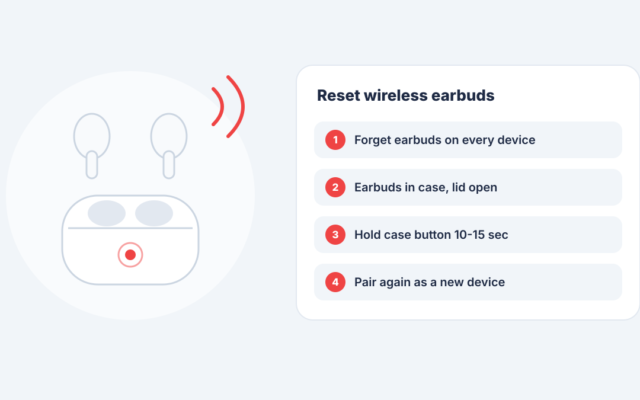
Because the exact presses vary, check the support page for your model if these steps don’t work. For a cross-brand overview, see how to reset wireless earbuds.
Sound in only one earbud?
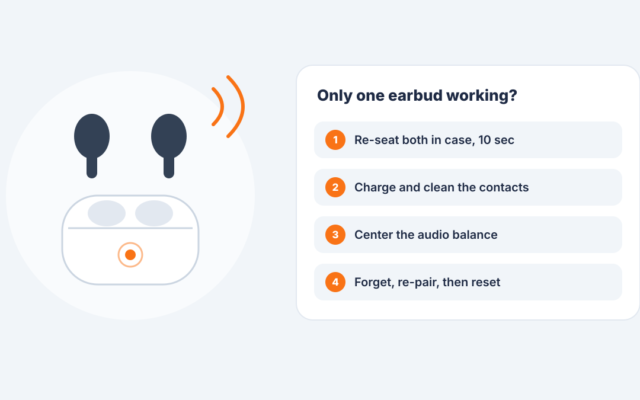
It can mean the earbuds lost their link with each other, but a drained battery, dirty charging contacts, earwax in the speaker or an off-center balance setting can do the same. Put both back in the case, wait a few seconds and take them out together. If one side stays silent, reset them as above. Our guide to fixing one earbud that isn’t working has more fixes.
Related guides
Frequently asked questions
What is the Bluetooth button on Skullcandy earbuds?
Most Skullcandy true wireless earbuds don’t have a separate Bluetooth button. The touch area or button on each earbud handles power, pairing and playback.
How do I put Skullcandy earbuds in pairing mode?
Take them out of the case and they’ll enter pairing mode on their own. If not, use your model’s manual pairing step: on the original Dime, turn them off and hold both earbuds for about 4 seconds; on Dime 3 and Dime Evo, hold either earbud’s button for 3 seconds.
How do I reset Skullcandy wireless earbuds?
Forget them on your phone, then follow your model’s reset step. On Dime 3, for example, you hold both buttons for 6 seconds while the earbuds are on. The lights flash when the reset is done.
Can Skullcandy earbuds connect to a laptop?
Yes. Put them in pairing mode and add them from your laptop’s Bluetooth settings.
Conclusion
Pairing Skullcandy earbuds usually takes nothing more than lifting them out of the case and tapping their name on your phone. When that doesn’t work, start pairing mode manually or reset the earbuds using your model’s steps. Just check your model name first, since the button sequences vary.