TOZO earbuds such as the T6, T10 and A1 are popular because they’re affordable and simple, and pairing is simple too once you know what the flashing lights mean. This guide covers first-time pairing, connecting to a computer, and the reset that fixes the most common TOZO problem: only one earbud connecting.
Quick answer: Take both TOZO earbuds out of the charging case. They turn on and connect to each other within about 10 seconds, and one earbud starts flashing red and blue. On your phone or computer, open Bluetooth settings and select the name that matches your model, such as TOZO-T6 or TOZO-T10.

Pair TOZO earbuds with a phone
- Make sure the earbuds are charged.
- Take both earbuds out of the case at the same time.
- Wait up to 10 seconds while they connect to each other.
- Watch for one earbud flashing red and blue. That means they’re in pairing mode.
- On your phone, open Bluetooth settings:
• Android: Settings > Connected devices > Pair new device (on Samsung, Settings > Connections > Bluetooth).
• iPhone: Settings > Bluetooth. - Tap the TOZO name for your model, for example TOZO-T10.
Choose the main name only. If you see separate entries ending in -L or -R, the earbuds didn’t connect to each other properly. Skip to the reset steps below.
Connect TOZO earbuds to a computer
Windows 11:
- Put the earbuds in pairing mode by taking them out of the case.
- Open Settings > Bluetooth & devices > Add device > Bluetooth.
- Select your TOZO earbuds and wait for Connected.
Windows 10: Open Settings > Devices > Bluetooth & other devices > Add Bluetooth or other device > Bluetooth.
Mac: Open System Settings > Bluetooth and click Connect next to the TOZO earbuds.
If audio still plays through the speakers, choose the TOZO earbuds as the output device in your sound settings.
Pair TOZO earbuds with a new device
TOZO earbuds reconnect to the last device they used, so a new phone or laptop may not see them. To pair a new device:
- Turn off Bluetooth on the old device, or forget the earbuds there.
- Put the earbuds back in the case, then take them out again.
- When one earbud flashes red and blue, pair from the new device.
Some newer TOZO models have a button on the back of the case or a companion TOZO app. If yours does, check its manual for a quicker way to start pairing mode.
How to reset TOZO earbuds
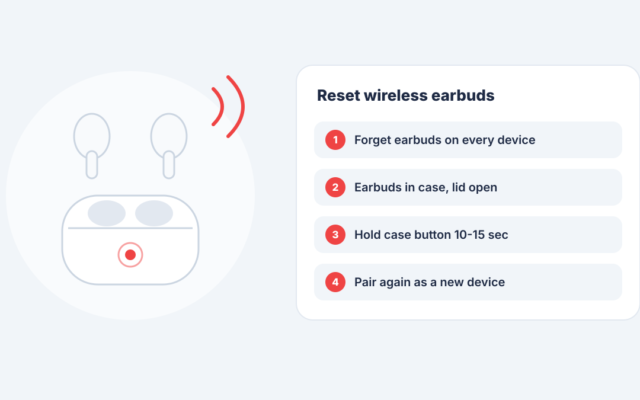
Reset your TOZO earbuds when only one earbud connects, the two earbuds won’t pair with each other, or your phone shows “Connection Unsuccessful”. These steps are for the T10. Other TOZO models and hardware versions can use a different sequence, so the T6 steps follow below.
- On your phone, delete every TOZO entry from the Bluetooth list, including any -L and -R entries. Then turn Bluetooth off.
- Take both earbuds out of the case.
- Touch and hold both earbuds for about 5 seconds, until the red lights come on. This turns them off.
- Touch and hold both earbuds again for about 8 seconds, until the blue light blinks quickly. The reset is done.
- Put both earbuds back in the case, then take them out together.
- Turn Bluetooth back on and pair the main TOZO name.
TOZO T6: Turn both earbuds off, then touch and hold both for about 5 seconds until the red and blue lights flash together. Then quickly tap each earbud’s touch panel twice.
If your model doesn’t respond to these steps, check its quick guide. Other brands use different resets, which our guide on how to reset wireless earbuds covers.
TOZO earbuds not connecting? Other fixes
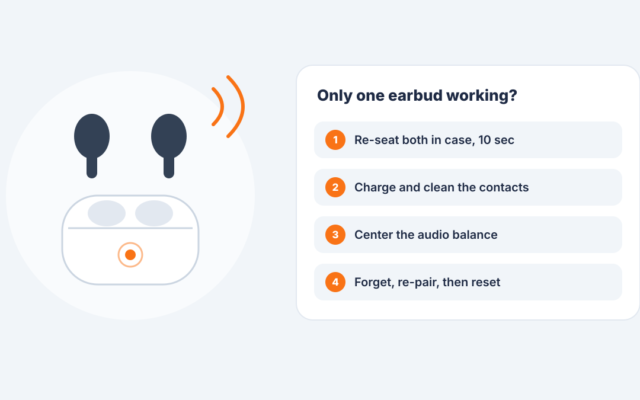
- Charge both earbuds and the case. A flat earbud can’t join its partner, which leaves you with one-sided sound.
- Clean the charging contacts on the earbuds and in the case with a dry cloth, so both earbuds charge.
- Restart your phone or computer after removing the old pairing.
- Move closer. Keep the earbuds within a few feet of the device while pairing.
- Check the PC’s Bluetooth. If Windows doesn’t show Add device at all, see Bluetooth not working on Windows 11.
Related guides
Frequently asked questions
How do I put my TOZO T6 earbuds into pairing mode?
Take both earbuds out of the case. When one earbud flashes red and blue, they’re in pairing mode. Select TOZO-T6 on your device.
Why are my TOZO earbuds not connecting?
Usually they’re still connected to another device, or the two earbuds lost their link to each other. Turn off Bluetooth on the other device. If only one side connects, reset the earbuds.
How do I connect TOZO earbuds to my computer?
Take them out of the case, then add them from Settings > Bluetooth & devices > Add device on Windows 11, or System Settings > Bluetooth on a Mac.
Why is only one TOZO earbud working?
One earbud may be out of charge, the earbuds may have been paired separately, or their link to each other may have failed. Delete all TOZO entries on your phone, reset the earbuds and pair the main name again.
Conclusion
TOZO earbuds pair themselves as soon as you take them out of the case. If both earbuds are charged but only one connects, a reset for your model usually restores the link between them.